
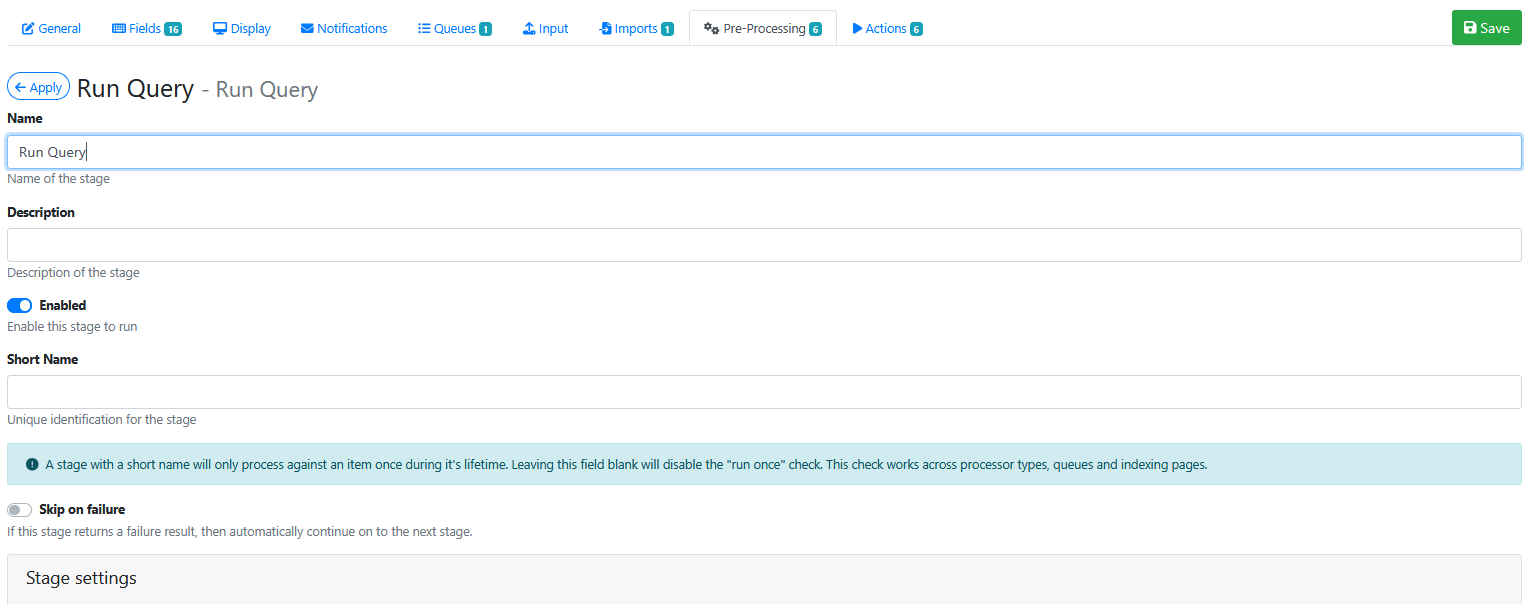
The Run Query pre-processor can be used to execute a SQL query that can retrieve or insert/update table data.
The Run Query screen is shown below:
Stage Settings
The stage settings available are:
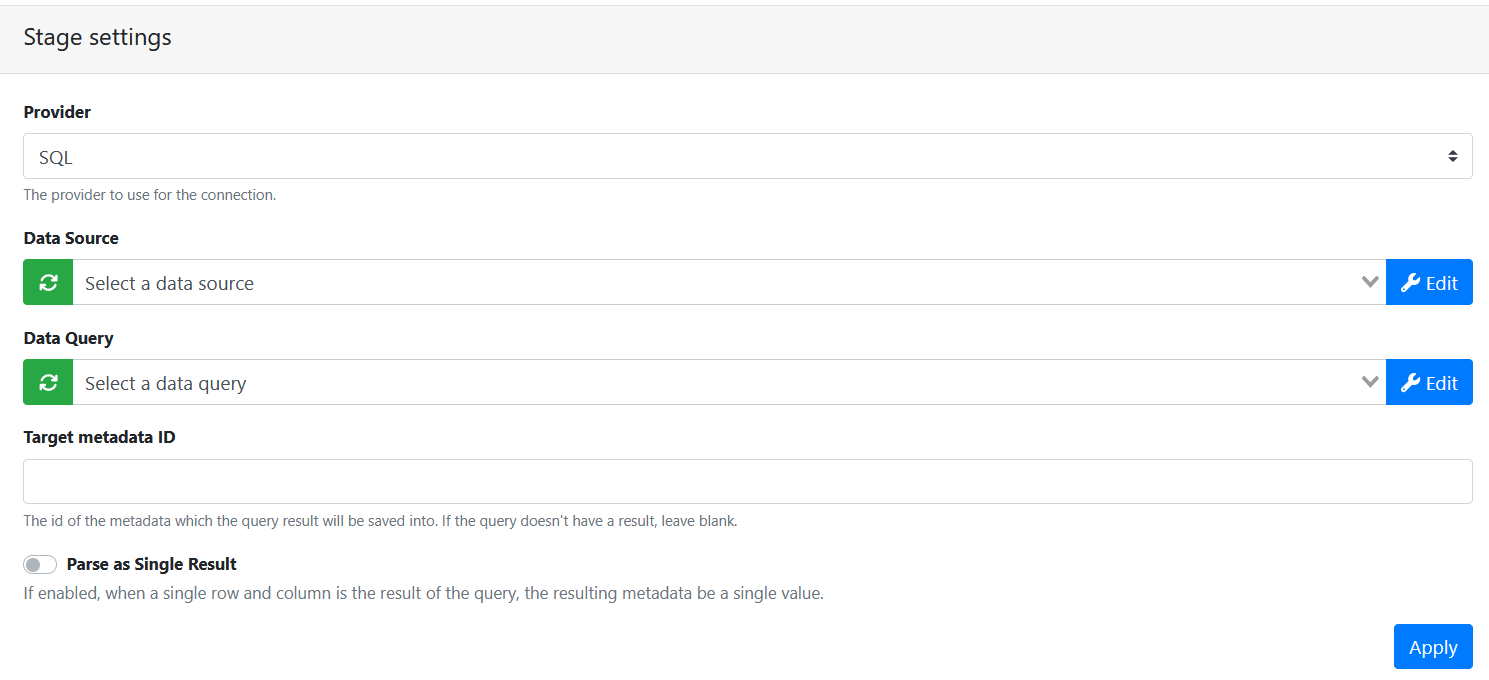
Provider - Select your desired provider.
Data Source - Choose the correct one from the list of available data sources. Data sources are usually configured by the EWA Site administrator using the EWA Admin panel Connections menu option.
Data Query - Select your desired query to execute, placeholders are supported.
Examples:
INSERT INTO my_table
VALUES ("Hardcoded Value", {{metadata["order_id"]}})
Select * from my_table where OrderId = {{metadata["order_id"]}}
Target metadata ID - Specify the id of the metadata which the query result will be saved into. If the query doesn't have a result, leave blank.
Saving the Pre-Processor
Press the Apply button
Saving the RIA Page
Press the Save Button
Testing the Pre-Processor
-
Make sure its enabled.
-
Run an input document through the queue.
-
Check that the SQL table row data is being is being inserted/updated in the SQL database.