
The Duplicate Item pre-processor is used when you take one document, make a copy of it, so you can process it via 2 different App Pages.
For example the original document might be an invoice that is being processed by an Invoice Processing App Page, whereas the duplicated item gets processed by an App Page that stores the invoice into SharePoint. The use of 2 App Pages allows for each App Page to collect the document metadata required by the back end systems.
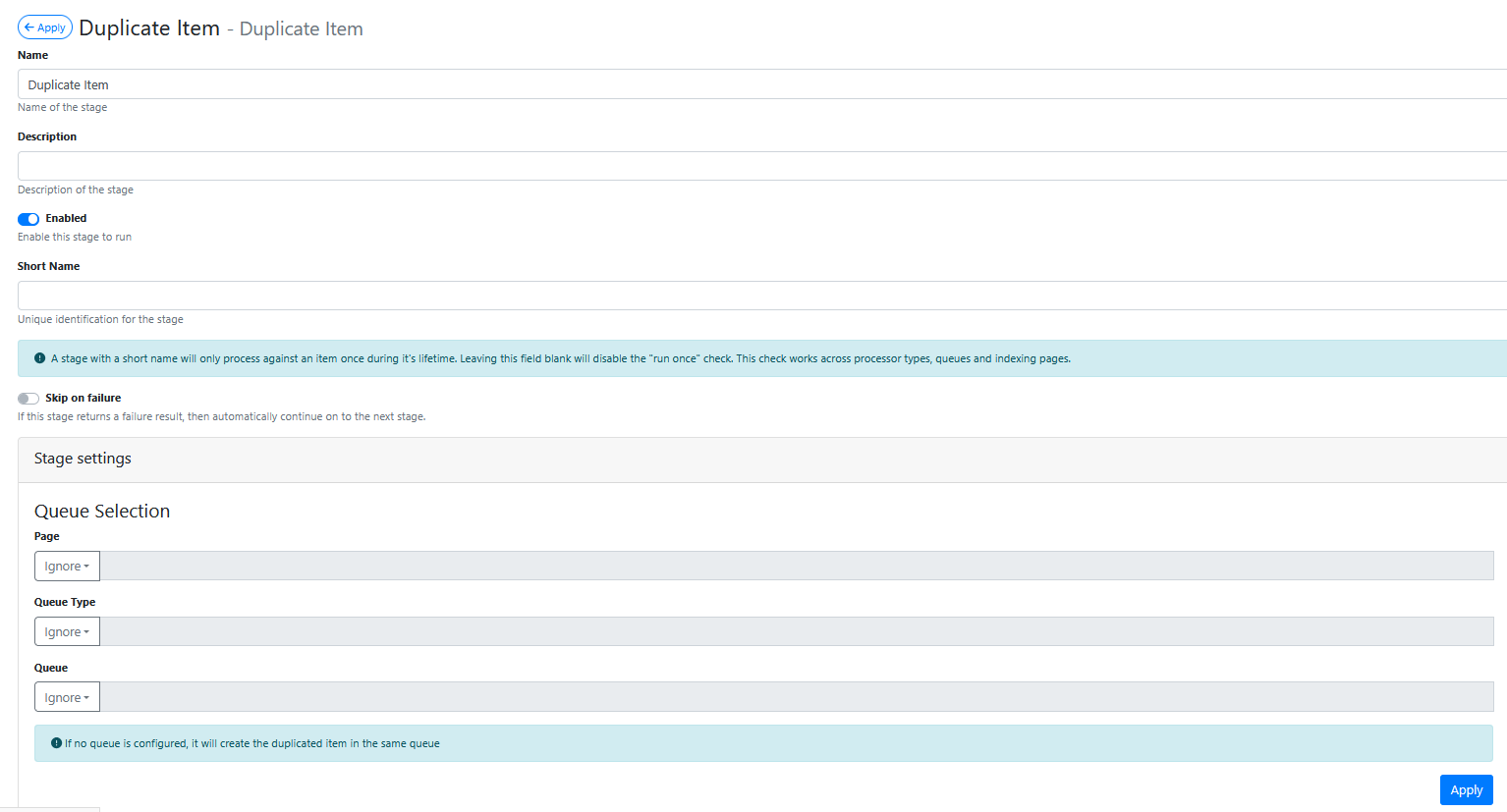
The Duplicate Item pre-processor configuration screen looks like this:
Stage Settings
Action
Normally set to Search Subject File
Create Note For Failed Links
Usually enabled
Failed Links Metadata Id
Leave set as failed-download-links
Domain Allow List
Leave blank to allow hyperlinks to point to any domain, otherwise press the green + button to add specific domain(s) that download links are restricted to.
Saving the Pre-Processor
Press the Apply button
Saving the RIA Page
Press the Save Button
Testing the Pre-Processor
-
Make sure its enabled.
-
Load an input document (i.e. email) that contains a document hyperlink into the App Page queue.
-
In the RIA Page Viewer make sure that the document referenced by the hyperlink has been downloaded and that the download pages now appear after the subject file.