Preview Feature: Please note this feature is currently in preview.
The Azure Content Understanding pre-processor automatically extracts data from documents by simply using the name of the fields configured in the Fields tab of the RIA page.
There is no need to create prompts (like those required with Azure Open AI) or manually map fields (like those required when using Map KVP Metadata with Azure Document Intelligence).
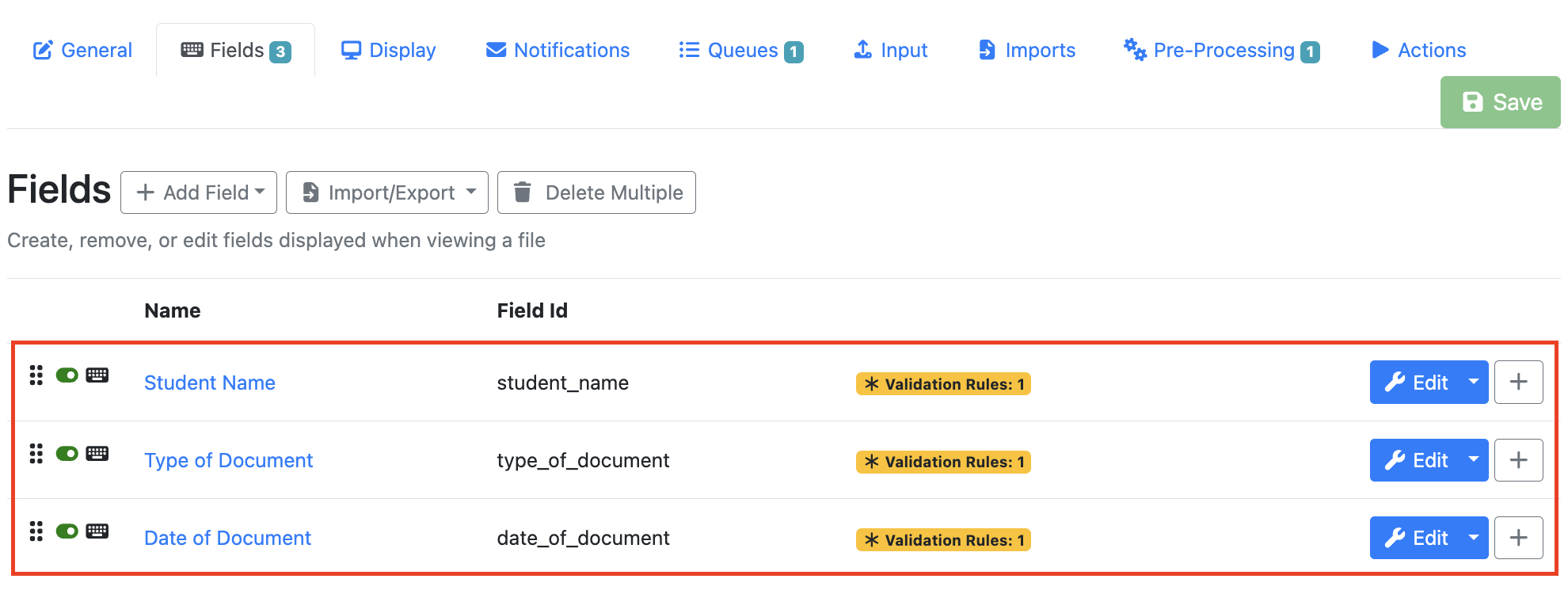
Tip: Configure your fields before adding the Azure Content Understanding pre-processor. Below is an example of fields configured for a student records RIA page. The AI will attempt to extract data based on the name of each field below.
Stage Settings
Azure Content Understanding Connection
Select the connection to your configured Azure Content Understanding model. Note: Your available selections may be named differently to what is shown in the example below.

Overwrite Metadata Values
This field is turned on by default. When turned on, all metadata fields will be replaced with content read from the Azure Content Understanding.
Pages to Send
|
All Pages |
Text from all pages will be sent to the Azure for data extraction. |
|---|---|
|
Range |
Ability to send text from a certain page or number of pages. Use a dash to specify a range of pages e.g. "1-3" |
Fields Overrides
By default all RIA field names are sent to Azure Content Understanding, and data found by the model is used to populate the RIA page field values.
Field Overrides provide a mechanism to alter that default behaviour.
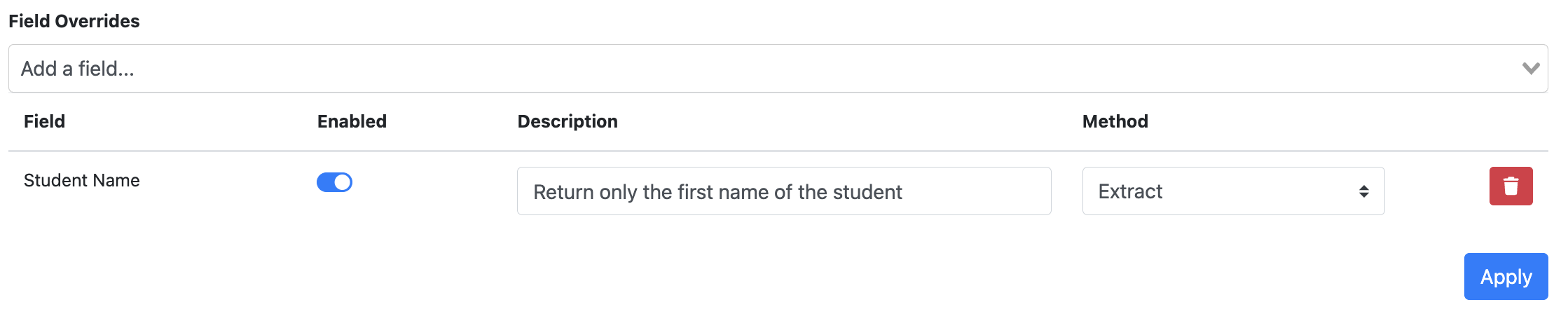
In this section you can select a configured field from the drop down menu and do one of the 3 actions below:
|
Action |
Description |
|---|---|
|
Enabled |
Determines whether the field will be included in AI extraction.
|
|
Description |
Allows you to provide additional extraction instructions for a specific field. This can help refine the extracted result when needed. For example, in a student records scenario you could specify: Return only the student's first name. Another example id invoice processing might be finding the tax payable on the invoice: Return either the VAT, GST or Total as as tax.
|
|
Method |
This field gives you the ability to change the default method of “extract” to “generate”. This can be used if you want to generate a document summary. |
Page Results
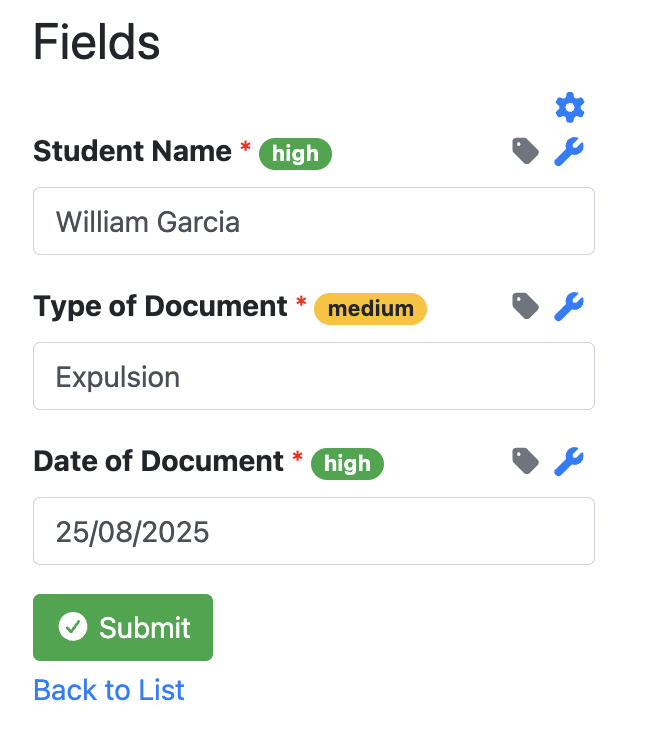
When a document is processed on that RIA Page, Azure will return a confidence metric along with the field as shown in the screenshot below (e.g. High,Medium,Low)