
User Logs
The User Logs page allows administrators to monitor and review all user login attempts.
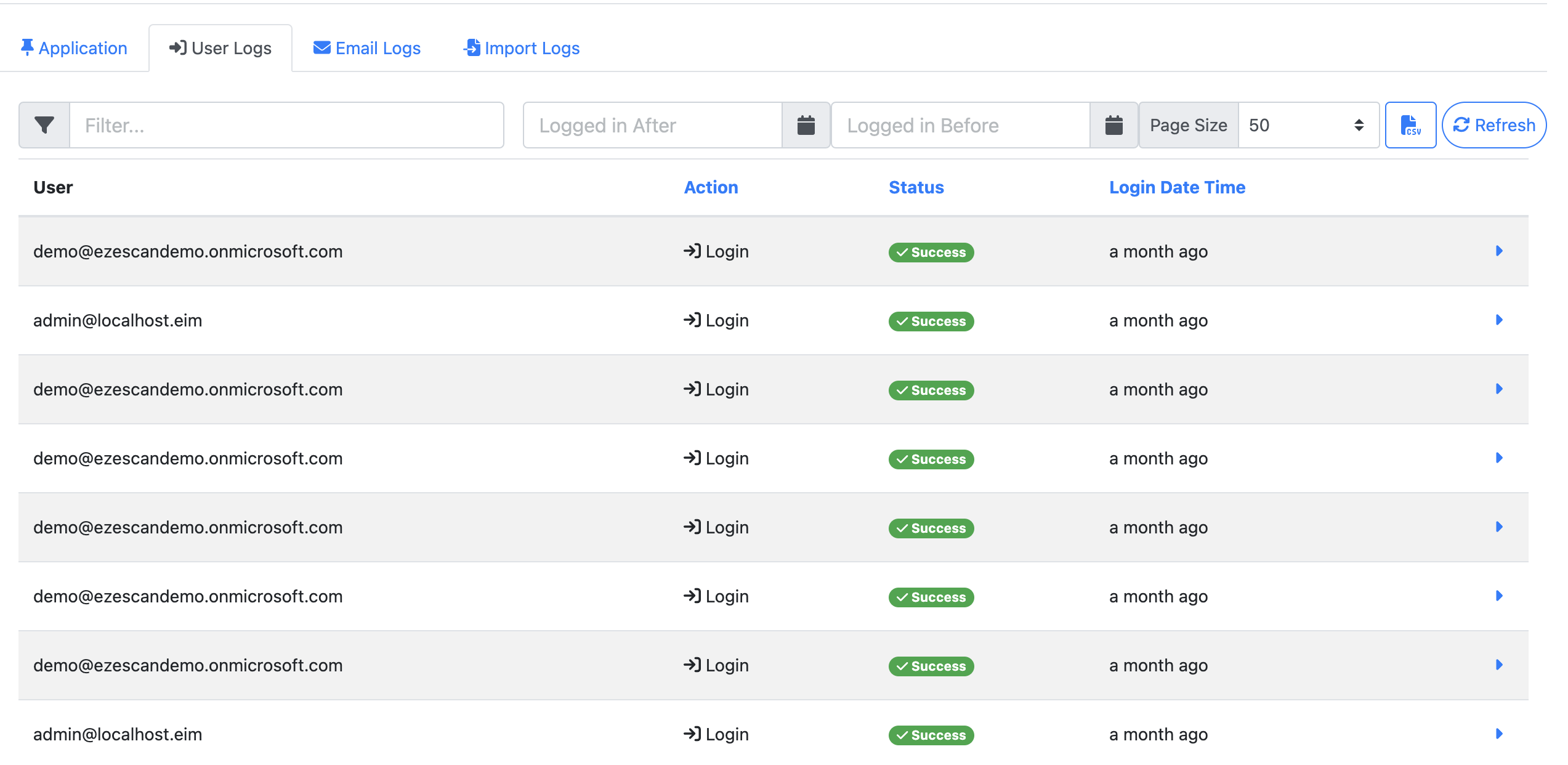
Table Options
|
Option |
Description |
|---|---|
|
Filter |
Search for specific users by name or other criteria. |
|
Login After/ Login Before |
Define a date range to display login attempts within that period. |
|
Page Size |
Choose how many records to display per page: 50, 100, 500, 1,000, 5,000, or 10,000. |
|
CSV |
Export the current page of results to an Excel-compatible CSV file. Note: Only the records visible on the current page will be exported. To include more results, increase the page size before exporting. |
|
Refresh |
Reload the table to display the most up-to-date login data. |
Table Fields
|
Field |
Description |
|---|---|
|
User |
Displays the user’s email address. |
|
Action |
Indicates whether the event was a Login or Logout. |
|
Status |
Shows if the login attempt was Successful or Failed. |
|
Login Date Time |
Displays how long ago the login attempt occurred. Hover over this field to view the exact date and time. |
|
Arrow |
Opens a drop-down with additional details:
|