
The Download Links pre-processor is used when you want to try and extract documents from hyperlinks contained in a subject document. It’s most commonly used when the subject document is an email, that contains a hyperlinks that references another document (e.g. hyperlink used view an invoice PDF).
The Download Links pre-processor configuration screen looks like this:
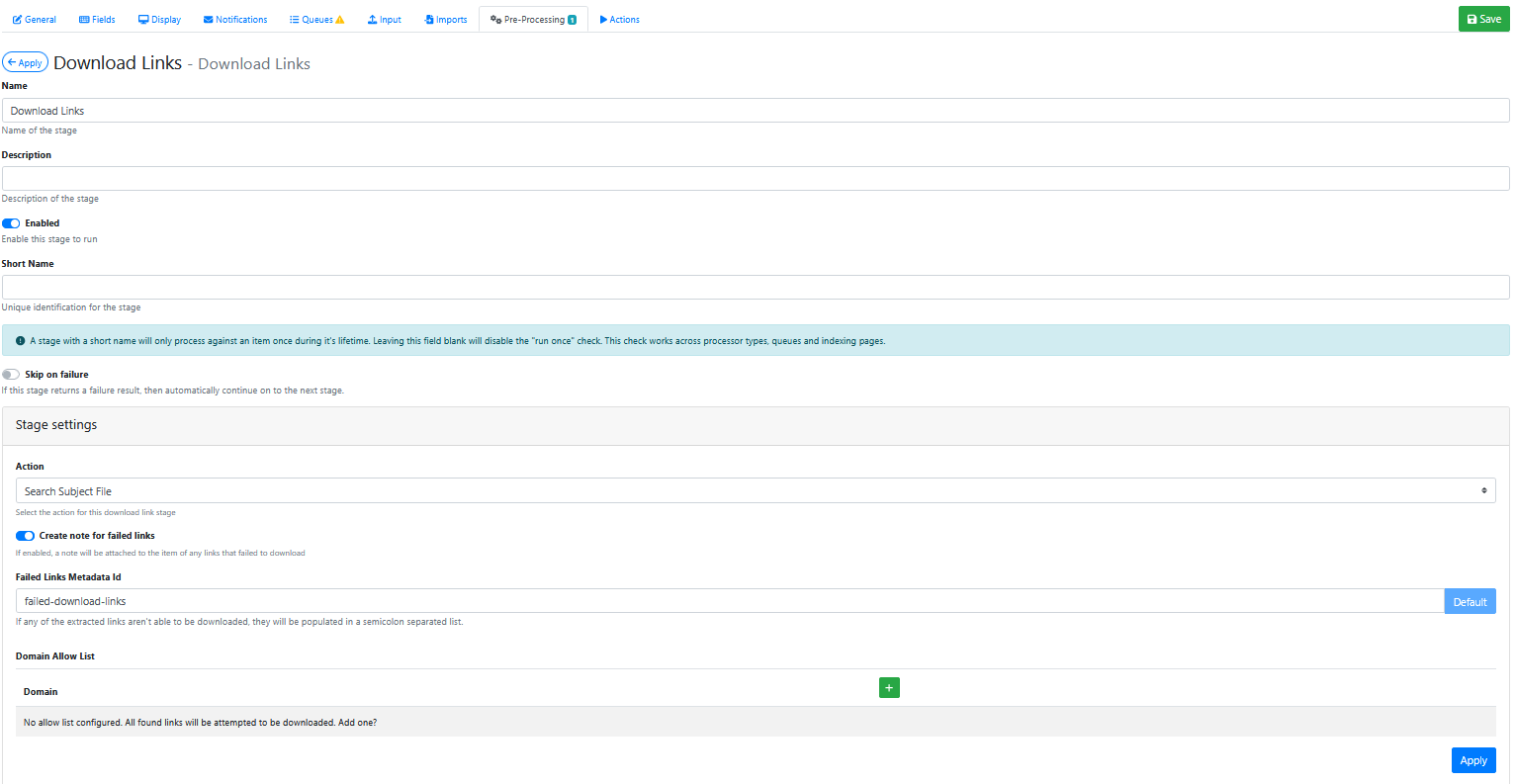
Stage Settings
Page
Select the Simple selection in the left hand drop down list. It will then display a list of available app pages in the right hand drop down list . Choose the desired App Page from the right hand drop down list.
Queue Type
Select the Simple selection in the left hand drop down list. It will then display a list of available Queue types in the right hand drop down list. Choose the desired Queue Type from the right hand drop down list.
Queue
Select the Simple selection in the left hand drop down list. It will then display a list of available Queue types in the right hand drop down list. Choose the desired Queue from the right hand drop down list.
Saving the Pre-Processor
Press the Apply button 
Saving the RIA Page
Press the Save Button 
Testing the Pre-Processor
-
Make sure it is enabled.
-
Load an input document into the 1st RIA App Page queue.
-
Confirm that the original document is visible in the queue of the 1st RIA Page.
-
Confirm that a duplicate of that document is visible in the queue of the 2nd RIA Page.