
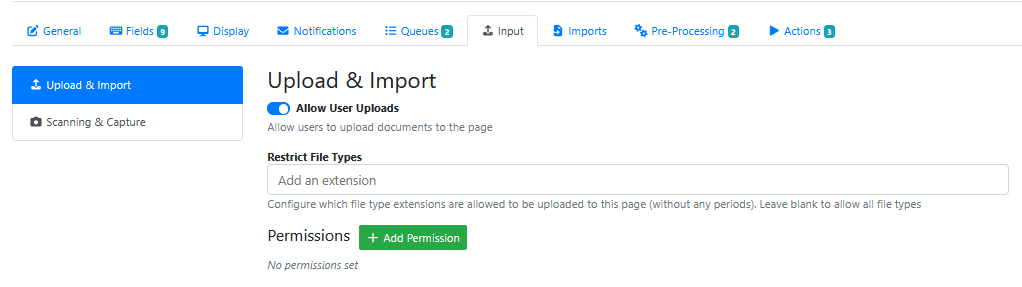
The input tab contains settings for getting files into the indexing page.
|
Setting Name |
Description |
|---|---|
|
Allow User Uploads |
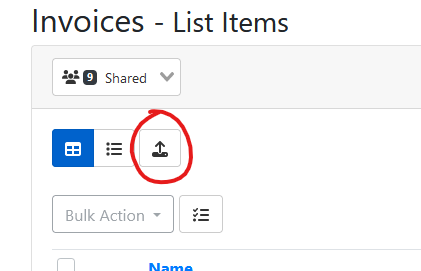
Enable this option to allow users to upload files into this page from the list items page. Users can drag and drop files or click the upload button.
|
|
Restrict File Types |
Configure which file type extensions are allowed to be uploaded to this page (without any periods). Leave blank to allow all file types |
|
Permissions |
Allow/Deny specific users from being able to use the Upload & Import option. |
|
Setting Name |
Description |
|---|---|
|
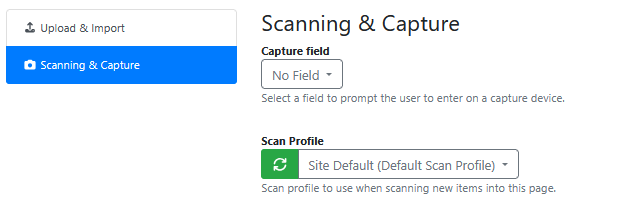
Capture Field |
Choose from either: No field Or a field shown In the drop down list of fields (that are enabled on this RIA Page) |
|
Scan Profile |
Choose a Scan Profile from a list of configured Scan Profiles |