
Route
The Route action button is preconfigured to allow documents to be routed to another page or queue.
Front End Settings
Two front ends are configured by default for this action button.

|
Name |
Front End Type |
Description |
|---|---|---|
|
Comments |
Capture Medata |
Allows users to enter a comment explaining why the document is being routed. This field is required by default. |
|
Queue Selection |
Queue Selection |
Determines which queues or pages the document can be routed to. By default, this front end is restricted to the current page. This means documents cannot be routed to other pages until the restriction settings are modified. For more information about page restriction types, see the Queue Selection documentation here. |
Stages
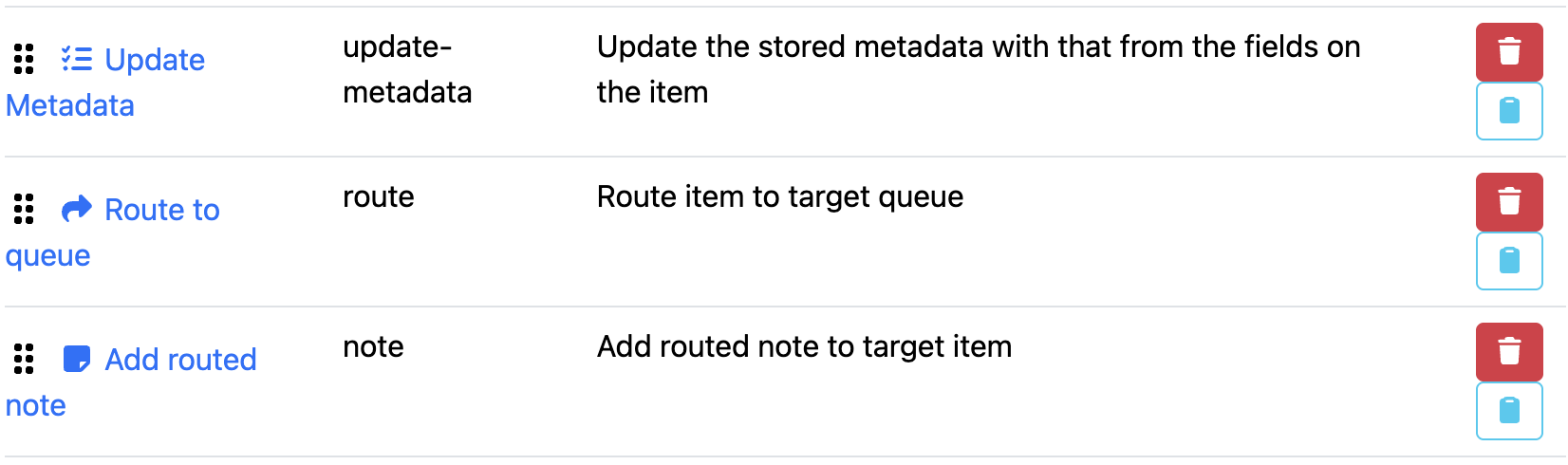
Three stages are configured by default for this action button.
|
Name |
Front End Type |
Description |
|---|---|---|
|
Update Metadata |
Update Metadata |
Updates the page metadata using the values provided through the front end fields. |
|
Route to Queue |
Route to Queue |
Routes the document to the queue selected by the user in the Queue Selection front end. |
|
Add Routed Note |
Add Note |
Attaches a note to the document containing the comment entered by the user during the routing process. |