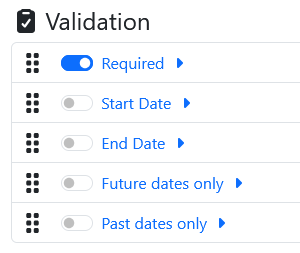
The date field is a highly configurable field that is designed for users to enter dates.
Basic Settings
|
Setting |
Description |
|---|---|
|
Name |
The name of the field that is displayed to the user. |
|
Id |
The id of the field that is used for metadata and placeholders. |
Date Values
Format
This settings allows you to change the formatting of the date field for both display and output.
Examples:
|
Date |
Format |
Output |
Supports Sorting |
|---|---|---|---|
|
24th February 2023 |
|
24/02/2023 |
Yes |
|
24th February 2023 |
|
24-02-2023 |
Yes |
|
24th February 2023 |
|
24/2/2023 |
No |
|
24th February 2023 |
|
24-2-2023 |
No |
|
24th February 2023 |
|
24/2/2023 |
No |
|
24th February 2023 |
|
02/24/2023 |
Yes |
|
24th February 2023 |
|
02-24-2023 |
Yes |
|
24th February 2023 |
|
2/24/2023 |
No |
|
24th February 2023 |
|
2-24-2023 |
No |
|
24th February 2023 |
|
2023/02/24 |
Yes |
|
24th February 2023 |
|
2023-02-24 |
Yes |
|
24th February 2023 |
|
2023/2/24 |
No |
|
24th February 2023 |
|
2023224 |
No |
|
24th February 2023 |
|
20230224 |
Yes |
|
24th February 2023 |
|
2023.02.24 |
Yes |
When trying to sort dates that are displayed in custom columns on a list items page it is important to select a format that supports sorting otherwise they will not sort correctly.
Allow Reuse value
Enabling this option shows a toggle next to the field.
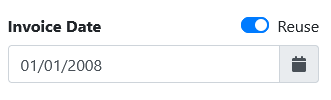
This option will then overwrite any default or existing values with the last value that was present in this field.
Default Value
Input Value
|
Option |
|
|---|---|
|
Today |
Defaults to todays date. |
|
Fixed Date |
Default to a certain date. |
|
Placeholder Id |
Default to a date that is located in another field. |
Date Modifications
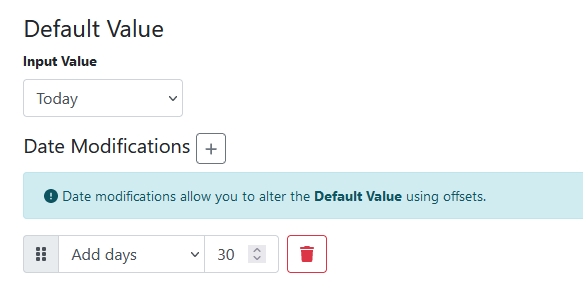
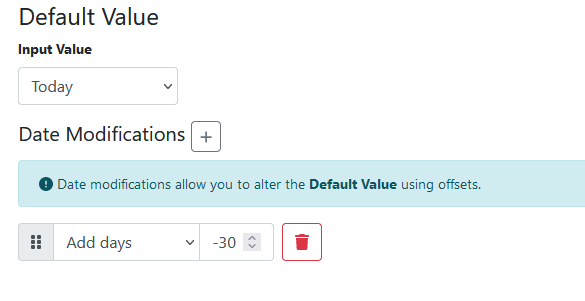
Date modifications allow you to alter the Default Value using offsets.
Use a positive value to set a date in the future and a negative value to set a date in the past.
Validation
Use validations to apply rules to control what type of date values are accepted.