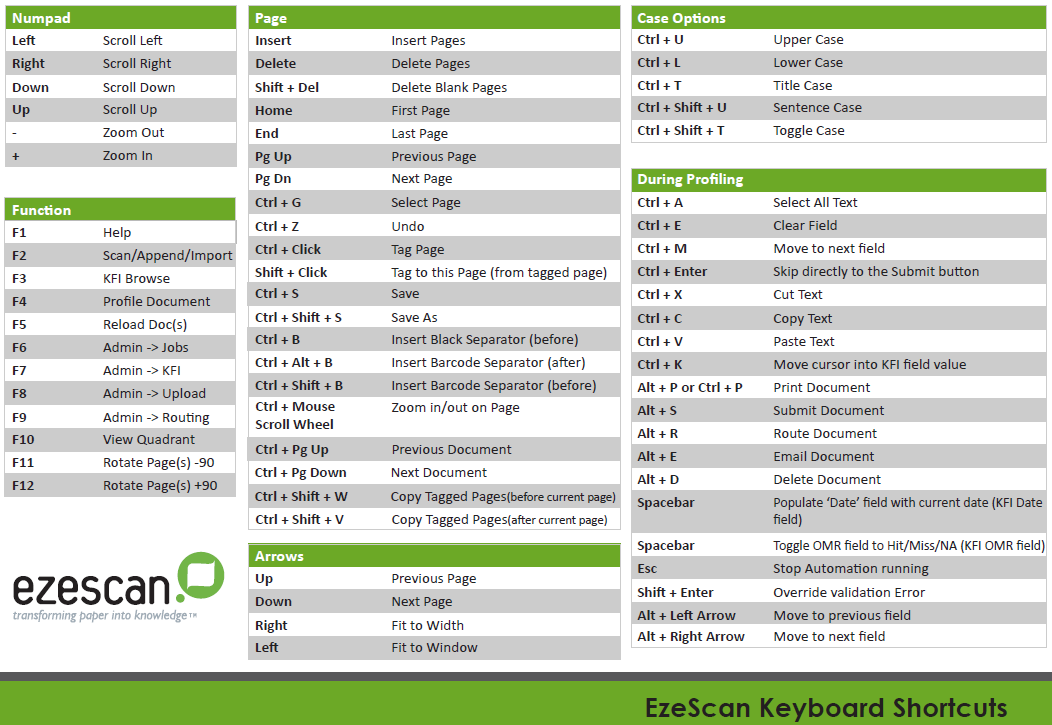
EzeScan uses various shortcut keys to provide faster processing of your invoices and documents. Use this guide to access the full set of EzeScan shortcut keys.
Step-by-step guide
Accessing EzeScan shortcut keys
-
Close the button screen by selecting Close in the bottom right hand corner window
-
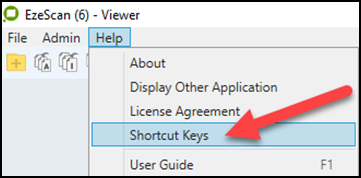
Select the Help menu then click Shortcut Keys.
-
The shortcut keys PDF document will open.