
Setting up Client in Google Cloud Console
|
1 |
Navigate to Google Cloud Console > Google Auth Platform > Clients page: https://console.cloud.google.com/auth/clients |
||||||||
|
2 |
Click the Create client button in the top menu. 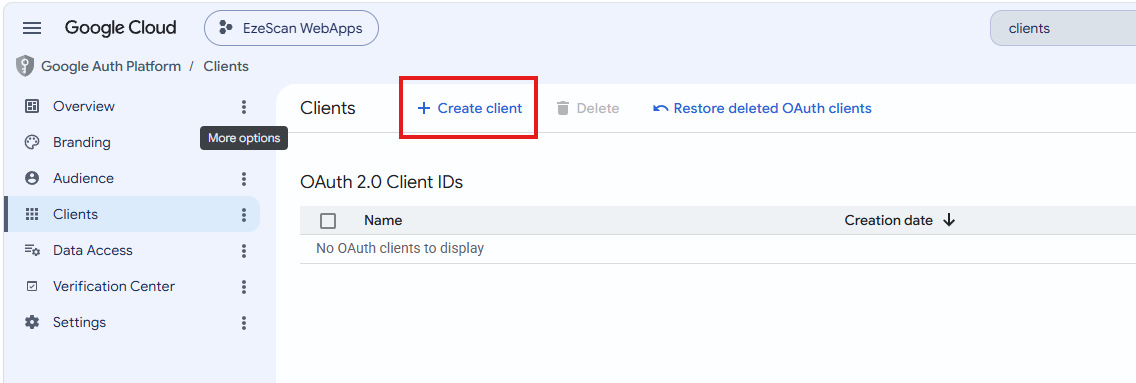
|
||||||||
|
3 |
Enter the following details and then click the Create button:
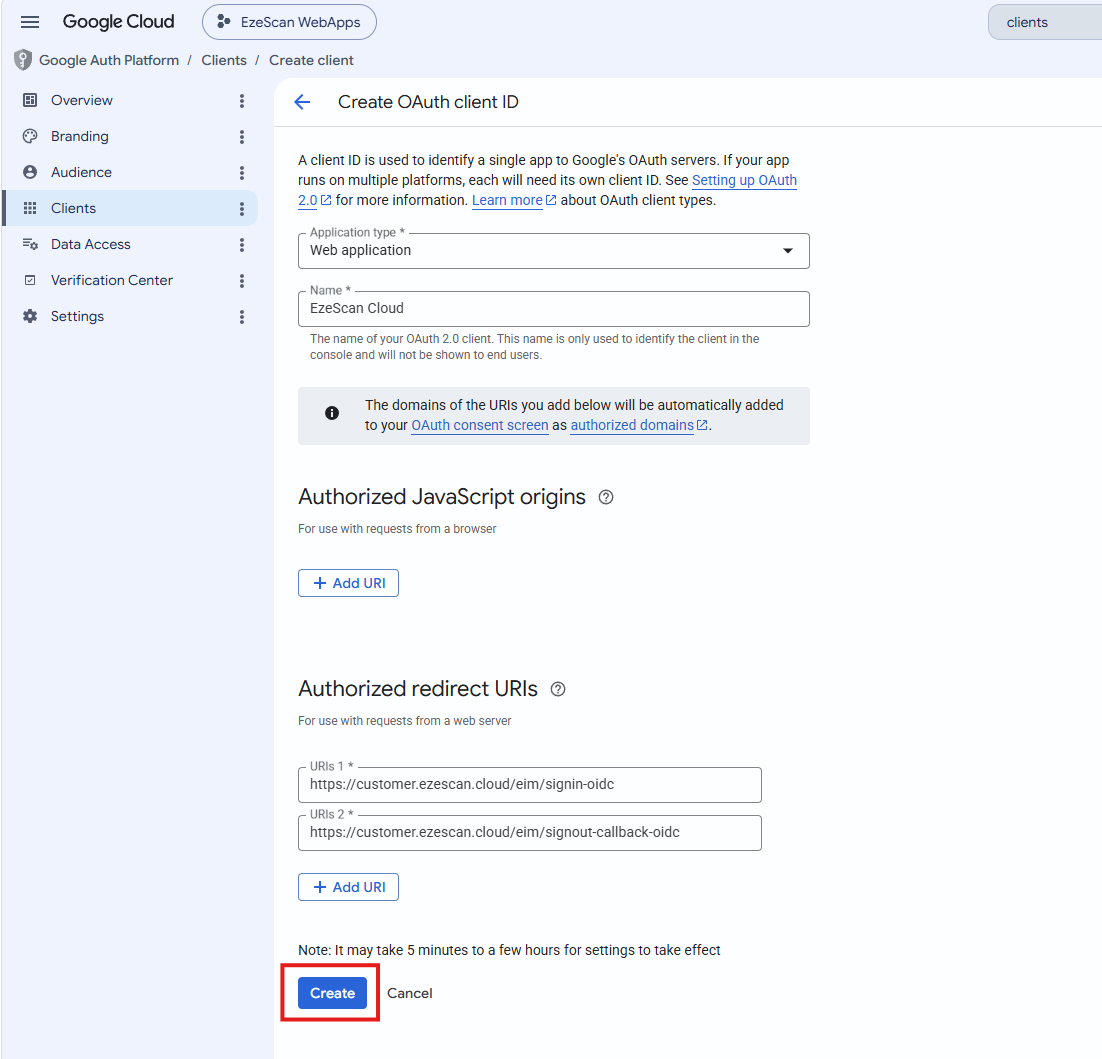
|
||||||||
|
4 |
On the Oauth client created modal that appears click the Download JSON link down the bottom. 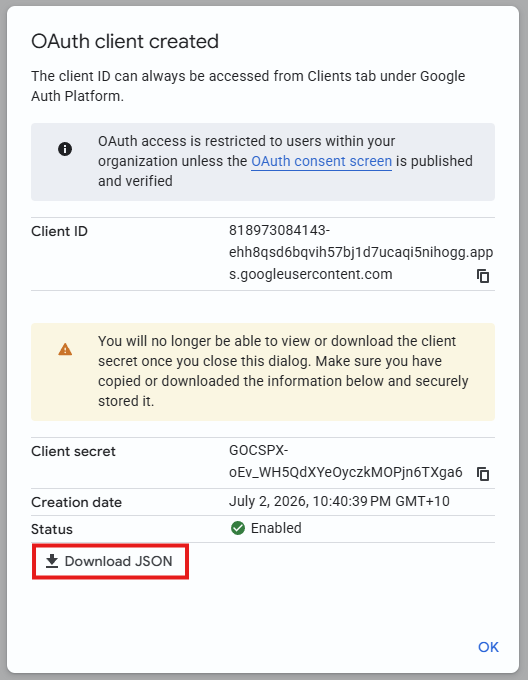
|
||||||||
|
5 |
Send this JSON file (or the text within) to our team via a secure method of your choice. For example:
|