
Added in EzeScan 5.0.69.
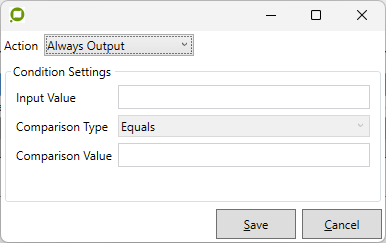
|
Option |
Description |
|---|---|
|
Action Type |
Select the action to be performed.
The default is Always Output. |
|
Input Value |
The value to compare. May contain static text and/or placeholders. |
|
Comparison Type |
Select the operator to use when comparing input and comparison values.
|
|
Comparison Value |
The value to be compared to the input value. May contains static text and/or placeholders. |